7 Password Management Secrets Small Business Owners Need
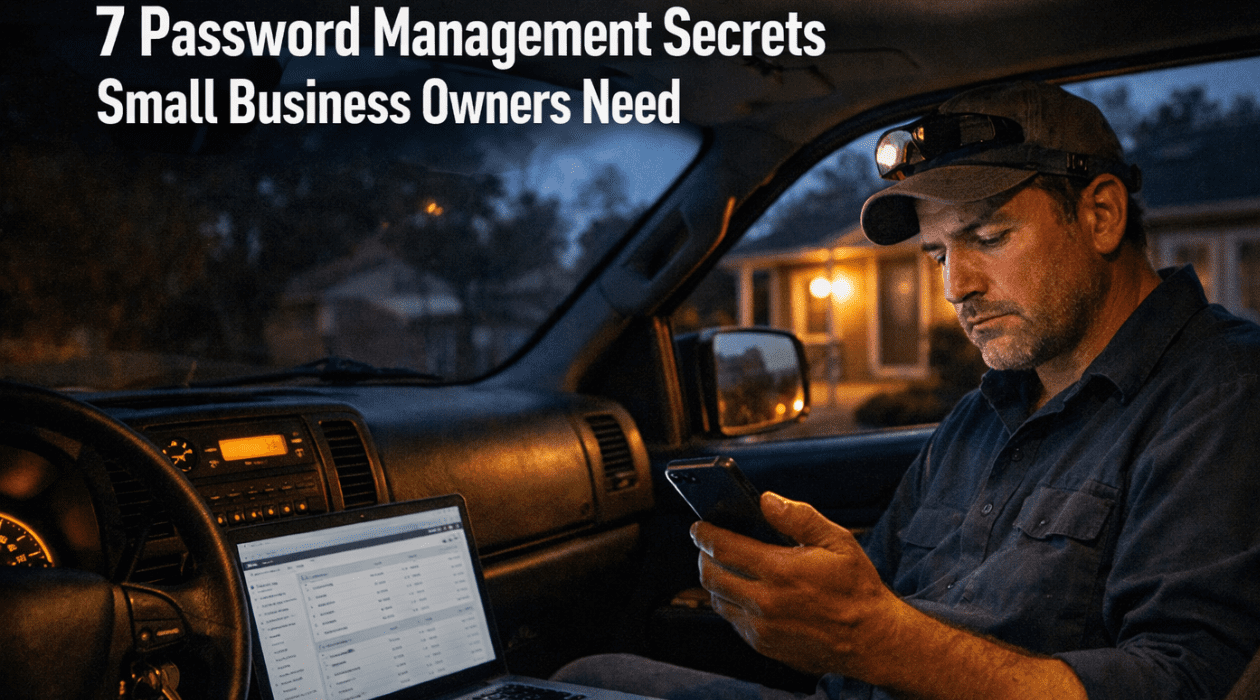
Your electrician is wrapping up an emergency call at 8 PM. He needs to access the company QuickBooks to invoice the client before heading home. He texts you: “What’s the QuickBooks password again?” You realize you’ve been using the same password for QuickBooks, your email, ServiceTitan, and your bank account. That sick feeling in your stomach? That’s the reality of inadequate password management for small business owners.
If you’re running an HVAC company, plumbing business, or electrical contracting firm, you already know you don’t have time for complicated IT systems. But here’s the truth: poor password management for small business owners costs the average small company $200,000 per data breach, according to IBM’s 2023 Cost of Data Breach Report. That’s not a number your business can afford.
This guide cuts through the technical jargon to give you practical password management for small business owners that actually works in real-world trade businesses. No corporate fluff, just solutions you can implement this week.
Why Password Management for Small Business Owners Is Different
Large corporations have dedicated IT departments managing password management for small business owners. You? You’re managing passwords between dispatching crews, ordering materials, and trying to get home before your kid’s baseball game.
The challenge with password management for small business owners in field service industries is unique. Your team members need access to systems from job sites, trucks, and their personal phones. Unlike office workers who sit at the same desk every day, your electricians, plumbers, and HVAC techs are constantly mobile. This creates specific security challenges that generic business advice ignores.
When we talk about password management for small business owners in trades, we’re dealing with real-world constraints. Your team doesn’t have time for complex login procedures when a burst pipe needs immediate attention. But that urgency can’t justify weak security that puts your entire business at risk.
The average small business uses 16 different software platforms, from QuickBooks and ServiceTitan to Jobber, email, banking, and vendor portals. Each one needs strong password protection. Effective password management for small business owners means creating a system that balances security with accessibility for your mobile workforce.
The Real Cost of Poor Password Management for Small Business Owners
Let’s talk numbers. According to the National Cyber Security Alliance, 60% of small businesses close within six months of a cyberattack. That’s not a risk, that’s a death sentence. Inadequate password management for small business owners is the leading entry point for these attacks.
Consider what happens when passwords aren’t managed properly. A former employee still has access to your systems six months after termination. A contractor’s laptop gets stolen with saved passwords to your QuickBooks and banking. Someone clicks a phishing email because they’re trying to remember yet another password. Each scenario is preventable with proper password management for small business owners.
Beyond the breach itself, weak password management for small business owners creates operational inefficiencies. How many hours per month does your team waste on password resets? How much time do you spend texting passwords or explaining which slight variation of “Company123!” you used for this particular account? These hours add up to thousands of dollars in lost productivity.
For field service businesses specifically, password problems multiply. Technicians locked out of ServiceTitan can’t access job details. Forgotten QuickBooks credentials delay invoicing, which delays payment. Password management for small business owners directly impacts your cash flow and customer service quality.
Password Management for Small Business Owners: The Foundation
Strong password management for small business owners starts with understanding the basics. Every password should be at least 12 characters long, combining uppercase letters, lowercase letters, numbers, and symbols. But here’s what nobody tells you: you can’t remember 16 strong, unique passwords. That’s why password management for small business owners requires tools, not just rules.
The foundation of password management for small business owners includes three critical elements. First, every account needs a unique password. Using the same password across multiple systems means one breach compromises everything. Second, passwords must be stored securely, never in sticky notes, text files, or shared spreadsheets. Third, access needs to be controlled and regularly reviewed.
Many small business owners resist formal password management for small business owners because it seems complicated. The truth is, continuing with your current system where passwords are texted, shared verbally, or written on office whiteboards is far more complicated when something goes wrong. A structured approach to password management for small business owners actually simplifies daily operations.
Think about password management for small business owners like you think about keys to your shop or warehouse. You wouldn’t give unlimited copies of your building keys to everyone who ever worked for you. Digital access deserves the same careful control. This mindset shift is essential for effective password management for small business owners.
Choosing the Right Password Manager Tool
Password manager tools are the cornerstone of modern password management for small business owners. These tools generate strong passwords, store them encrypted, and automatically fill login credentials. For trade businesses, password managers eliminate the “what’s the password?” texts that slow down your operations.
When evaluating password management for small business owners solutions, look for business-grade tools with these features: shared vaults for team access, mobile apps for field technicians, emergency access protocols, and activity monitoring. Tools like 1Password, LastPass Business, and Dashlane meet these requirements. Avoid free consumer versions that lack business controls necessary for proper password management for small business owners.
The investment in password management for small business owners tools is minimal compared to the protection they provide. Most business password managers cost $3-8 per user monthly. For a five-person contracting company, that’s $15-40 per month to protect potentially hundreds of thousands of dollars in financial accounts and business data. This is one of the most cost-effective security investments you’ll make.
Implementation of password management for small business owners tools is straightforward. Most services offer migration assistance and training resources. The real challenge isn’t technical complexity but getting your team to actually use the system. That’s where clear policies and consistent enforcement matter for successful password management for small business owners.
Building Your Password Policy
Effective password management for small business owners requires written policies, not informal understandings. Your password policy documents expectations, procedures, and consequences. This protects both your business and your employees by removing ambiguity about security responsibilities.
A solid password policy for password management for small business owners should address these elements: minimum password requirements, mandatory use of the company password manager, prohibition on password sharing outside the designated system, immediate notification of suspected security issues, and procedures for employee departures. Keep the policy under two pages so people actually read it.
Your password management for small business owners policy needs teeth. Include consequences for violations, but be reasonable. First offense might be a warning with additional training. Repeated violations or intentional security breaches warrant stronger action. The goal is behavior change, not punishment, but your team needs to understand that password management for small business owners isn’t optional.
Review your password management for small business owners policy annually and update it as your business grows or technology changes. What works for a three-person startup won’t necessarily work for a ten-person operation with multiple crews. Flexibility and regular refinement keep your password management for small business owners approach effective over time.
Implementing Multi-Factor Authentication
Multi-factor authentication (MFA) is non-negotiable in modern password management for small business owners. MFA requires two forms of verification before granting access: typically something you know (password) plus something you have (phone) or something you are (fingerprint). This adds a critical security layer that stops 99.9% of automated attacks.
Implementing MFA strengthens password management for small business owners by making stolen passwords nearly useless. Even if someone gets your QuickBooks password, they can’t access the account without also having your phone to receive the authentication code. For businesses storing customer payment information or sensitive project details, MFA transforms security posture overnight.
Yes, MFA adds an extra step to login. Your electricians will need to pull out their phones for verification codes. But this minor inconvenience pales compared to the alternative. Comprehensive password management for small business owners embraces this trade-off because the protection vastly outweighs the slight friction.
When implementing MFA as part of password management for small business owners, prioritize your most critical systems first: accounting software, banking, email, and customer management platforms. Once your team adapts to MFA on these essential tools, expand to secondary systems. This gradual rollout eases the transition and builds security habits progressively.
Managing Team Access and Permissions
Smart password management for small business owners includes careful control over who can access what. Not every employee needs access to every system. Your field technicians need ServiceTitan and customer contact information. They don’t need access to payroll or banking. Limiting access reduces risk and simplifies password management for small business owners.
Create access tiers in your password management for small business owners system. Administrative access for you and key management staff, operational access for field supervisors, and limited access for technicians. This structure prevents accidental changes to critical systems while ensuring everyone has the tools they need to do their jobs effectively.
Regular access reviews are essential to password management for small business owners. Quarterly, examine who has access to each system and why. Remove access that’s no longer needed. This practice, called access recertification in the cybersecurity world, keeps your security tight as roles change and employees transition.
When employees leave, immediate access removal is critical for password management for small business owners. Your password manager should allow instant revocation of all shared passwords for a departing team member. This is dramatically easier than manually changing passwords across 16 different platforms. Quick deprovisioning prevents former employees from accessing systems, whether intentionally or accidentally.
Handling Emergency Access Situations
Life happens. You might be unavailable during a crisis when someone needs urgent access to business systems. Mature password management for small business owners includes emergency access protocols. These procedures balance security with operational continuity when the primary account holder can’t respond.
Most business password managers offer emergency access features for password management for small business owners. You designate trusted individuals who can request emergency access. After a waiting period (usually 24-72 hours), if you don’t deny the request, they receive temporary access. This protects against both legitimate emergencies and unauthorized access attempts.
For trade businesses, emergency access in password management for small business owners might mean your office manager can access ServiceTitan if you’re hospitalized, or your spouse can retrieve banking information if needed. Document who has emergency access rights and ensure they understand the responsibility that comes with this privilege.
Test your emergency access procedures annually as part of password management for small business owners maintenance. Knowing the system works before you need it prevents panic during actual emergencies. These drills also keep designated emergency contacts aware of their role and comfortable with the process.
Training Your Team on Password Security
The best password management for small business owners system fails if your team doesn’t follow it. Training is essential but doesn’t need to be complicated. Your electricians and plumbers aren’t IT professionals. They need clear, practical guidance on using your password management for small business owners tools.
Start with hands-on training when implementing password management for small business owners. Show each team member how to install the password manager app, save their first password, and retrieve it when needed. Use actual work scenarios like logging into ServiceTitan or accessing job files. This practical approach beats theoretical lectures every time.
Phishing awareness is crucial to password management for small business owners training. Show real examples of phishing emails targeting contractors. Teach your team to verify unexpected password reset requests and suspicious login notifications. The human element is often the weakest link in password management for small business owners, but education significantly reduces this vulnerability.
Reinforce password management for small business owners training regularly. Include a security reminder in monthly team meetings. Share news about relevant data breaches affecting businesses like yours. This ongoing education keeps security awareness fresh and demonstrates your commitment to protecting the business and their jobs.
Securing Mobile Devices and Remote Access
Your team accesses business systems from phones in service trucks and personal devices at home. Mobile security is inseparable from password management for small business owners in field service businesses. Every phone accessing company systems needs basic security measures: screen locks, encryption, and find-my-device activation.
Require password manager apps on all devices accessing business accounts. This component of password management for small business owners ensures strong passwords even when logging in from phones or tablets. The auto-fill features of password managers actually improve security compared to manually typing passwords on small screens where typos and shoulder surfing pose risks.
Company-owned devices simplify password management for small business owners compared to personal devices. With company phones, you control security settings, updates, and can enforce password manager installation. Personal devices require clear BYOD (bring your own device) policies that balance security with privacy rights.
Remote wipe capability protects password management for small business owners when devices are lost or stolen. Most mobile device management tools allow you to remotely erase business data from lost phones. This prevents stolen devices from becoming access points to your systems. Set up remote wipe before you need it, not after.
Monitoring and Maintaining Your Password Security
Active password management for small business owners requires ongoing monitoring, not one-time setup. Your password manager provides security reports identifying weak, reused, or compromised passwords. Review these reports monthly and address flagged issues. This proactive approach catches problems before they become breaches.
Watch for unusual login attempts in your password management for small business owners monitoring. Many business platforms alert you to logins from new locations or devices. Don’t ignore these notifications. A login attempt from Romania at 3 AM when your team is in St. Louis warrants immediate investigation and potential password changes.
Regular password updates remain part of sound password management for small business owners, though modern guidance has evolved. You don’t need to change all passwords every 90 days unless there’s a specific reason. However, any password potentially compromised should be changed immediately. Any shared account that an employee had access to should be updated when they leave.
Audit your password management for small business owners system quarterly. Check access lists, review shared password usage, confirm MFA is enabled on critical accounts, and verify your emergency access procedures remain current. These systematic reviews maintain security hygiene and catch drift before it becomes dangerous.
The Role of Virtual Assistants in Password Management
Many small business owners delegate administrative tasks to virtual assistants, which intersects directly with password management for small business owners. VAs often need access to QuickBooks, email, scheduling systems, and other business platforms. This access must be managed carefully to maintain security while enabling productivity.
When integrating VAs into your password management for small business owners system, treat them like any other team member. Provide access through your business password manager, never through texted passwords or shared login credentials. This creates an audit trail and allows instant access revocation if needed. Professional VAs actually prefer this approach as it protects them from liability if security issues arise.
US-based virtual assistants, like those at Your Remote Office Space, understand password management for small business owners requirements specific to American businesses. They’re familiar with tools like QuickBooks, ServiceTitan, and other platforms common in field service businesses. This familiarity makes secure onboarding faster and reduces security risks from training gaps.
Consider having your VA manage password management for small business owners administration itself. A skilled virtual assistant can handle password resets, access reviews, and policy enforcement. This delegation frees you to focus on running your business while ensuring password security receives consistent attention.
Common Password Management Mistakes to Avoid
Even businesses attempting password management for small business owners make critical mistakes. Sharing one master password across the entire team defeats the purpose of password managers. Each person needs individual credentials so you can track who accessed what and remove access independently when needed.
Another common error in password management for small business owners is neglecting to actually use the password manager. Buying the tool but continuing to text passwords or use the same login for everything provides false security. Commit fully to your password management for small business owners system or don’t implement one at all, halfway measures waste money and create vulnerabilities.
Failing to secure your master password undermines your entire password management for small business owners strategy. Your master password unlocks everything. Make it extremely strong, memorize it, and never share it. Consider using a passphrase like “MyPlumbingBusiness-Started-2015!” which is long, memorable, and strong.
Perhaps the biggest mistake in password management for small business owners is assuming you’re too small to be targeted. Hackers specifically target small businesses because they often have weak security but still process payments and store valuable data. Your size makes you a target, not exempt from threats. Treat password management for small business owners as seriously as any business with millions in revenue.
Frequently Asked Questions About Password Management for Small Business Owners
How much should password management for small business owners cost?
Business password managers typically cost $3-8 per user monthly. For a typical field service business with 5-10 users, expect to invest $15-80 monthly. This minimal investment protects against breaches costing hundreds of thousands of dollars. Some providers offer annual billing with discounts. Factor training time as a one-time cost, usually 1-2 hours per employee.
What makes business password management different from personal password management?
Password management for small business owners requires team collaboration features that personal tools lack. Business versions offer shared vaults, permission controls, activity logs, and admin dashboards. You can grant and revoke access instantly, monitor usage, and maintain compliance records. Personal password managers focus on individual use without these critical business controls needed for proper password management for small business owners.
Should contractors use password management tools?
Absolutely. Contractors, plumbers, electricians, and HVAC companies face the same security threats as any business. You store customer information, process payments, and access financial accounts. Effective password management for small business owners protects your business reputation, prevents financial loss, and demonstrates professionalism to customers. The mobile nature of field service work actually makes password managers more valuable, not less.
How do I convince my team to adopt password management for small business owners?
Focus on benefits, not just security. Password managers eliminate frustrating password resets, speed up logins, and reduce the mental burden of remembering multiple passwords. Frame password management for small business owners as making their jobs easier, not adding work. Lead by example, provide hands-on training, and celebrate early adopters. Most resistance melts away once people experience how much simpler password managers make daily tasks.
What happens if I forget my master password?
Master password recovery varies by provider. Some offer account recovery through emergency contacts or backup codes. Others use zero-knowledge encryption, meaning if you lose your master password, your data is irrecoverable. This harsh reality emphasizes making your master password memorable. Use a passphrase combining memorable words with numbers and symbols. Write it down and store it in a physical safe as a backup, but never digitally. Proper password management for small business owners includes master password protection.
Can password managers be hacked?
Like any technology, password managers face potential vulnerabilities. However, reputable providers use military-grade encryption and security practices that make them far more secure than alternatives like spreadsheets or sticky notes. The risk of using no password manager vastly exceeds the minimal risk of using a quality one. Choose established providers with strong security track records. No password management for small business owners solution is perfect, but good password managers dramatically improve security over ad-hoc methods.
How often should we update our passwords?
Modern security guidance has evolved from mandatory 90-day password changes. Current best practice for password management for small business owners recommends changing passwords only when compromised, when employees with access leave, or when systems are breached. Forcing frequent changes encourages weak passwords and written notes. Focus instead on strong, unique passwords protected by multi-factor authentication. Update passwords immediately if you suspect compromise, not on an arbitrary schedule.
Taking Action on Password Management for Small Business Owners
You can’t afford to ignore password management for small business owners any longer. The risks are too high and the solutions too accessible. Start this week with three concrete steps. First, select and purchase a business password manager. Second, change your three most critical passwords (email, banking, accounting) to strong, unique passwords stored in your new password manager. Third, schedule team training for next week.
Comprehensive password management for small business owners doesn’t happen overnight. You’ll spend the first month migrating passwords and adjusting workflows. By month two, the system becomes routine. By month three, you’ll wonder how you ever operated without it. The transition requires effort, but the peace of mind and security improvements justify every minute invested.
Remember that password management for small business owners is an ongoing practice, not a completed project. Security threats evolve, your business grows, and team members change. Your password management for small business owners system must adapt accordingly. Quarterly reviews, consistent policy enforcement, and continuous education keep your security posture strong over time.
Your contracting business deserves the same security advantages that large corporations enjoy. Modern password management for small business owners tools make enterprise-grade security accessible and affordable. You’ve built your business through hard work and expertise. Protect that investment with proper password management for small business owners starting today.
Get Expert Help With Password Management for Small Business Owners
Implementing robust password management for small business owners takes time you don’t have while running a field service business. Your Remote Office Space specializes in operational support for trade businesses throughout the St. Louis metro area. Our US-based virtual assistants understand the specific challenges of password management for small business owners in contracting industries.
We can help you select the right password management tools, implement your system, train your team, and maintain ongoing security practices. Our virtual assistants work with the software platforms you already use like QuickBooks, ServiceTitan, and Jobber. We speak your language because we have deep experience with trade businesses.
Don’t let inadequate password management for small business owners put your company at risk. Contact Your Remote Office Space today for a free consultation about securing your business systems. We’ll assess your current security, recommend specific improvements, and show you how virtual assistant support makes implementation painless.
Visit YourRemoteOfficeSpace.com or schedule with us to discuss how we can strengthen your password management for small business owners while freeing you to focus on growing your contracting business. Based in Alton, Illinois, we understand the St. Louis market and the operational realities of running a successful trade business.
Related Blog Posts
- Privacy and Confidentiality Agreements for Virtual Staff
- Red Flags to Watch for When Hiring Virtual Assistants
- Cloud Storage Organization for Growing Businesses
- Simplifying Your Tech Stack Without Losing Functionality
- US-Based Virtual Assistants vs Offshore: The Real Differences
- Building Trust With Remote Team Members You’ve Never Met